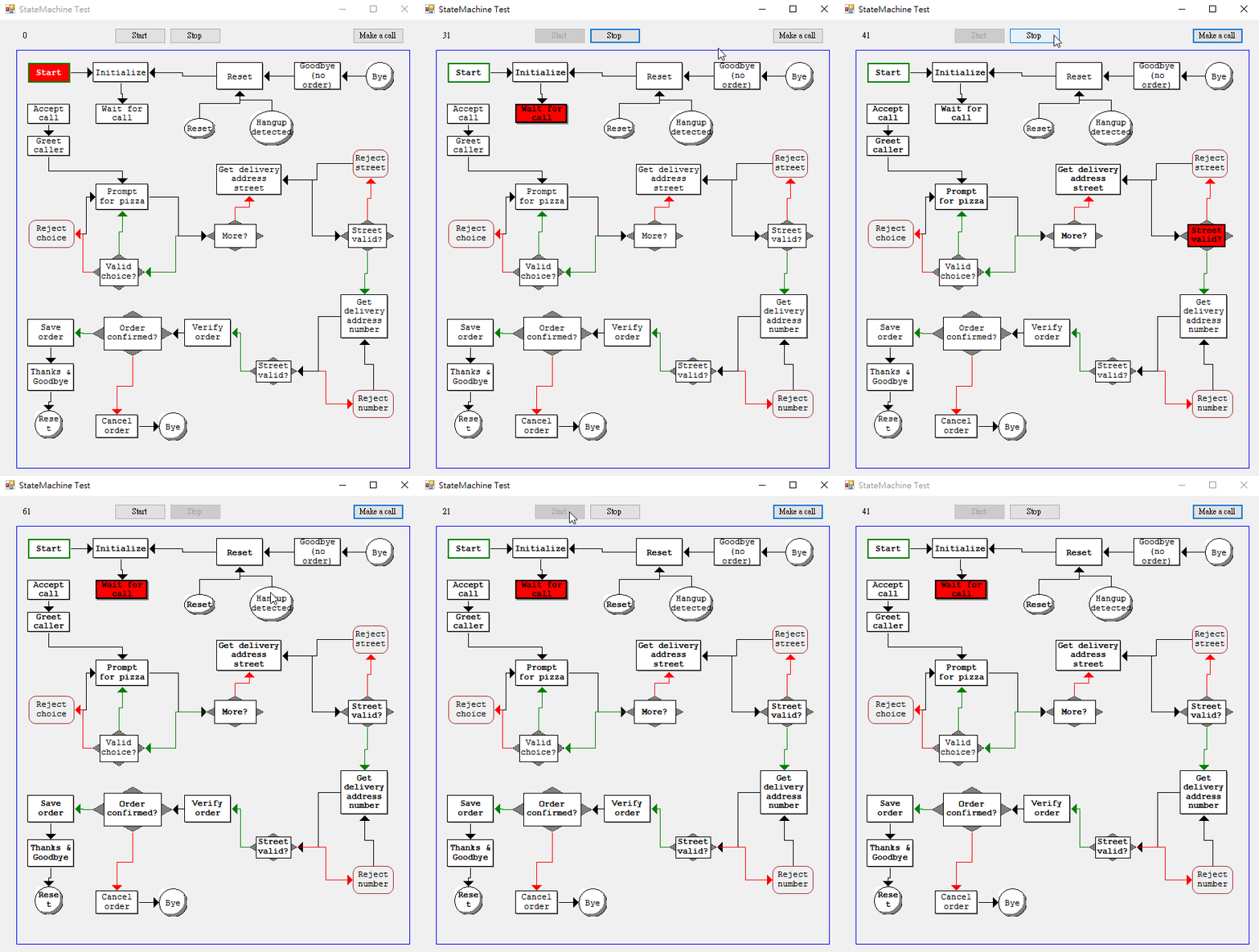
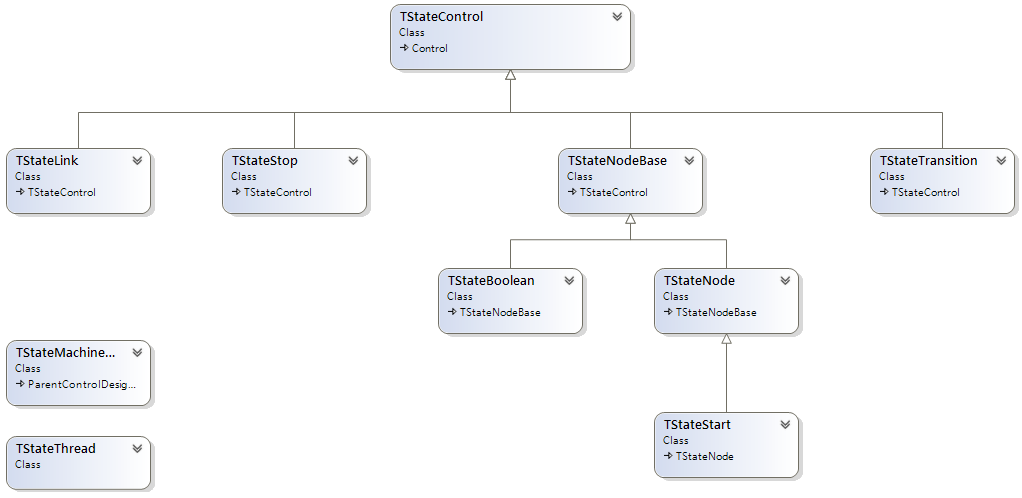
狀態機不只適用在自動控制,程序式的動作也是很有用!
在之前介紹了個小型框架後,我覺得,在一個多核系統中,如果想要有效的利用此架構,不管是在每個processor中使用command queue,或是使用parallel command,狀態機絕對是不可或缺的。
正好在看狀態機時看到一個使用Stateless加上Rx的應用範例,如下圖:
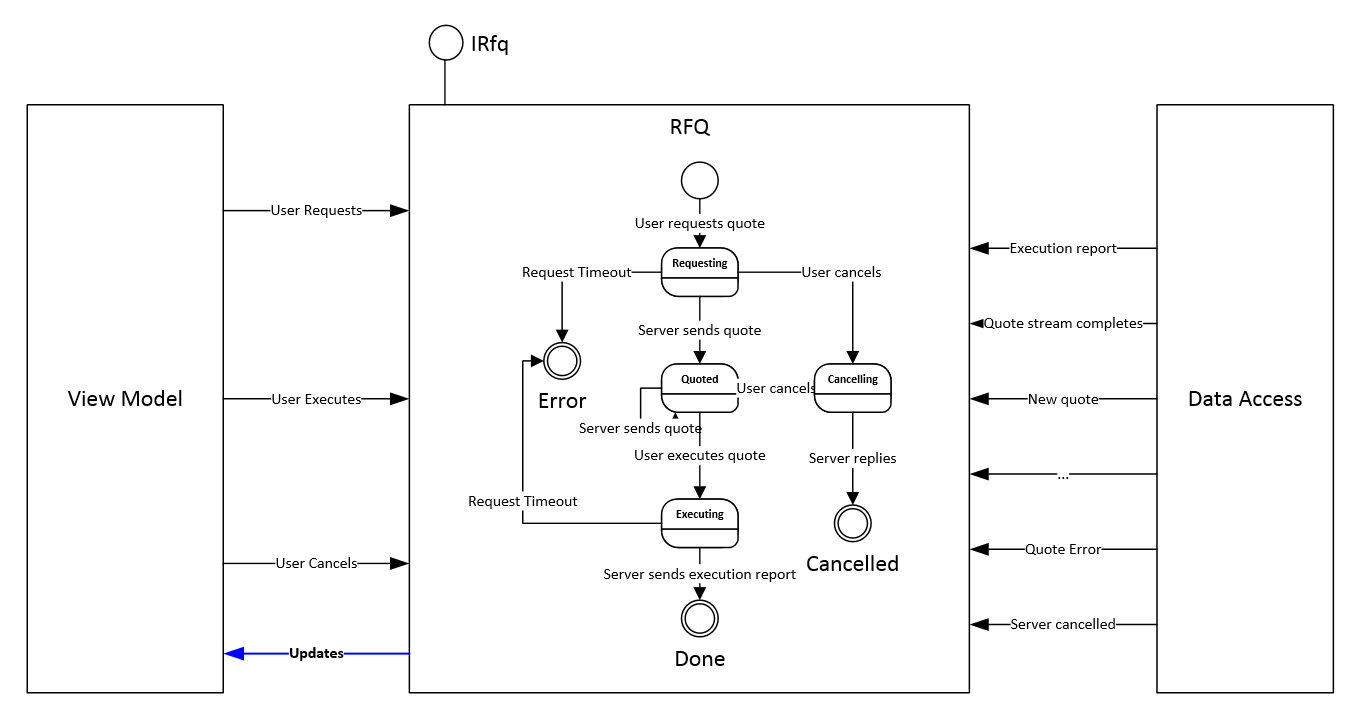
(此圖來自原專案網頁)
詳細說明可參閱原文,這裡僅簡單介紹Rx的部份。
Rfq工作流程
基本上,這是一個RFQ(詢價)工作流程,從上圖可以看到,狀態機提供的功能被包在一個介面中 – IRfq:
public interface IRfq : IDisposable
{
    void RequestQuote(IQuoteRequest quoteRequest);
    void Cancel(long rfqId);
    void Execute(IExecutionRequest quote);

    IObservable<RfqUpdate> Updates { get; }
}
而RFQ狀態機的的實作則由stateless完成,裡面定義了如上圖所需的State和Trigger(Event):
State
public enum RfqState
{
    Input,
    Requesting,
    Cancelling,
    Cancelled,
    Quoted,
    Executing,
    Error,
    Done
}
Event
public enum RfqEvent
{
    UserRequests,
    UserCancels,
    UserExecutes,

    ServerNewQuote,
    ServerQuoteError,
    ServerQuoteStreamComplete,
    ServerSendsExecutionReport,
    ServerExecutionError,
    ServerCancelled,
    ServerCancellationError,

    InternalError,
}
狀態更新
上面圖中可看到一藍色箭頭,由狀態機至View Model端,其負責更新(告知)控制端此狀態的變化過程,靠著IRfq介面定義中的
IObservable<RfqUpdate> Updates { get; }實作,因此,在各個狀態中藉由Rx的OnNext通知各種狀態的變化:
_rfqUpdateSubject.OnNext(new RfqUpdate(RfqState.Quoted, quote, null));
_rfqUpdateSubject.OnNext(new RfqUpdate(RfqState.Requesting, null, null));
_rfqUpdateSubject.OnNext(new RfqUpdate(RfqState.Cancelling, null, null));
_rfqUpdateSubject.OnNext(new RfqUpdate(RfqState.Executing, null, null));
_rfqUpdateSubject.OnNext(new RfqUpdate(RfqState.Done, null, executionReport));
_rfqUpdateSubject.OnNext(new RfqUpdate(RfqState.Cancelled, null, null));
Data Access
Sample中的Data Access由IRfqService介面實作:
public interface IRfqService
{
    IObservable<IQuote> RequestQuoteStream(IQuoteRequest quoteRequest);
    IObservable<IExecutionReport> Execute(IExecutionRequest executionRequest);
    IObservable<Unit> Cancel(long rfqId);
}
此介面在Rfq類別的建構式中注入:
public Rfq(IRfqService rfqService, IConcurrencyService concurrencyService)
{
    _rfqService = rfqService;
    ...
}
並且在各實作中被訂閱,如下所示在詢價的動作中,要求_rfqService執行RequestQuoteStream,若是超過5秒則逾時,並觸發_rfqEventServerQuoteError詢價失敗事件(基本上事件皆用RfqEvent列舉定義,否則為代有參數的strongly typed triggers (events)),若完成則觸發_rfqEventServerSendsQuote事件。
private void OnEntryRequesting(IQuoteRequest quoteRequest)
{
    _requestSubscription.Disposable = _rfqService.RequestQuoteStream(quoteRequest)
        .Timeout(TimeSpan.FromSeconds(5))
        .ObserveOn(_concurrencyService.Dispatcher)
        .SubscribeOn(_concurrencyService.TaskPool)
        .Subscribe(
        // /!\ we are only allowed to transition the state machine here, no other code!
        // This applies to all server callbacks
            quote => _stateMachine.Fire(_rfqEventServerSendsQuote, quote),
            ex => _stateMachine.Fire(_rfqEventServerQuoteError, ex),
            () => _stateMachine.Fire(RfqEvent.ServerQuoteStreamComplete));
}
另外在OnEntryCancelling和OnEntryExecuting也是類似的處理方式。
Unit Test
此範例沒有提供實際的專案,不過倒是有單元測試,所以可以從中概略的看到使用方法,如:
public void HappyPathScenario()
{
    // user request quote
    _sut.RequestQuote(null);
    // server sends quote
    _rfqServiceDouble.RequestQuoteSubject.OnNext(null);
    // user executes
    _sut.Execute(null);
    // server sends execution report
    _rfqServiceDouble.ExecuteSubject.OnNext(null);

    Assert.AreEqual(5, _updates.Count);
    Assert.AreEqual(RfqState.Input, _updates[0].RfqState);
    Assert.AreEqual(RfqState.Requesting, _updates[1].RfqState);
    Assert.AreEqual(RfqState.Quoted, _updates[2].RfqState);
    Assert.AreEqual(RfqState.Executing, _updates[3].RfqState);
    Assert.AreEqual(RfqState.Done, _updates[4].RfqState);
}
果然,寫文章是學習的好方法,在過程中才發現原先理解錯誤的點:),為自己突破盲點,cheers!
Written with StackEdit.