顯示具有 Functional 標籤的文章。 顯示所有文章

2.02.2017

Functional C#: Handling failures, input errors(譯)

之前的文章有提到這位作者(Vladimir Khorikov)對函數式編程的有趣概念,趁目前有空順便翻譯下,原文:Functional C#: Handling failures, input errors

本文描述的主題是我的Pluralsight課程的一部份–Applying Functional Principles in C#

這篇文章我將介紹如何以函數式的方法來處理錯誤及無效的輸入。

Handling errors in C#: the common approach

驗證和錯誤處理的概念是眾所周知的,但是在像C#的語言中處理它的程式碼可能非常煩人。本文的靈感來自於軌道式編程,這是由Scott Wlaschin在他的演講中介紹的。我鼓勵你觀看完整的介紹,因為它提供了我們的日常C#程式中很尷尬的部份的非常寶貴的見解。

看下面的例子:

[HttpPost]
public HttpResponseMessage CreateCustomer(string name, string billingInfo)
{
    Customer customer = new Customer(name);

    _repository.Save(customer);

    _paymentGateway.ChargeCommission(billingInfo);

    _emailSender.SendGreetings(name);

    return new HttpResponseMessage(HttpStatusCode.OK);
}

它看起來很簡單且直接,我們先建了一個客戶的實體,儲存,然後收取一些佣金,最後傳送問候的e-mail,這裡的問題是它只處理「快樂路徑」,即一切都沒有錯誤的路徑。

當你要開始處理可能地錯誤、輸入錯誤及日誌等,函式開始變得煩人:

[HttpPost]
public HttpResponseMessage CreateCustomer(string name, string billingInfo)
{
    Result<CustomerName> customerNameResult = CustomerName.Create(name);
    if (customerNameResult.Failure)
    {
        _logger.Log(customerNameResult.Error);
        return Error(customerNameResult.Error);
    }

    Result<BillingInfo> billingInfoResult = BillingInfo.Create(billingInfo);
    if (billingInfoResult.Failure)
    {
        _logger.Log(billingInfoResult.Error);
        return Error(billingInfoResult.Error);
    }

    Customer customer = new Customer(customerNameResult.Value);

    try
    {
        _repository.Save(customer);
    }
    catch (SqlException)
    {
        _logger.Log(“Unable to connect to database”);
        return Error(“Unable to connect to database”);
    }

    _paymentGateway.ChargeCommission(billingInfoResult.Value);

    _emailSender.SendGreetings(customerNameResult.Value);

    return new HttpResponseMessage(HttpStatusCode.OK);
}

更糟的是,如果我們需要處理Save和ChargeCommission函式中的失敗,我們最終建立了補償邏輯,以便在其中一個函式失敗時可以rollback更改:

[HttpPost]
public HttpResponseMessage CreateCustomer(string name, string billingInfo)
{
    Result<CustomerName> customerNameResult = CustomerName.Create(name);
    if (customerNameResult.Failure)
    {
        _logger.Log(customerNameResult.Error);
        return Error(customerNameResult.Error);
    }

    Result<BillingInfo> billingIntoResult = BillingInfo.Create(billingInfo);
    if (billingIntoResult.Failure)
    {
        _logger.Log(billingIntoResult.Error);
        return Error(billingIntoResult.Error);
    }

    try
    {
        _paymentGateway.ChargeCommission(billingIntoResult.Value);
    }
    catch (FailureException)
    {
        _logger.Log(“Unable to connect to payment gateway”);
        return Error(“Unable to connect to payment gateway”);
    }

    Customer customer = new Customer(customerNameResult.Value);
    try
    {
        _repository.Save(customer);
    }
    catch (SqlException)
    {
        _paymentGateway.RollbackLastTransaction();
        _logger.Log(“Unable to connect to database”);
        return Error(“Unable to connect to database”);
    }

    _emailSender.SendGreetings(customerNameResult.Value);

    return new HttpResponseMessage(HttpStatusCode.OK);
}

你可以看到原先的5行程式變為35行–該函式變成了7倍大!現在我們很難理解程式流程,5行有意義的程式被埋在了大量的boilerplate orchestration下。

Handling failures and input errors in a functional way

它可以被修正嗎?幸運的是,Yes。讓我們來看看可以做什麼。

你可能已經注意到,我們使用在我的primitive obsession文章中提到的技術,與其使用raw name和billingInfo字串,我們用CustomerName和BillingInfo類別包裝,這讓我們有機會在同一個地方放置相關的驗證邏輯並符合DRY原則

靜態Create函式回傳一個名為Result的特殊類別,它封裝了與操作結果有關的所有資訊:錯誤時的錯誤訊息或成功時的物件實體。

另外,請注意,可能的失敗會用try/catch包裝起來。這功能打破了我曾寫的Exceptions for flow control的最佳實作,它說若你知道如何處理異常,請儘可能在最底層捕獲它們。

它表示ChargeCommission和Save函式應自己捕獲已知的異常並回傳結果,如同靜態函式Create做的。讓我們來重構程式:

[HttpPost]
public HttpResponseMessage CreateCustomer(string name, string billingInfo)
{
    Result<CustomerName> customerNameResult = CustomerName.Create(name);
    if (customerNameResult.Failure)
    {
        _logger.Log(customerNameResult.Error);
        return Error(customerNameResult.Error);
    }

    Result<BillingInfo> billingIntoResult = BillingInfo.Create(billingInfo);
    if (billingIntoResult.Failure)
    {
        _logger.Log(billingIntoResult.Error);
        return Error(billingIntoResult.Error);
    }

    Result chargeResult = _paymentGateway.ChargeCommission(billingIntoResult.Value);
    if (chargeResult.Failure)
    {
        _logger.Log(chargeResult.Error);
        return Error(chargeResult.Error);
    }

    Customer customer = new Customer(customerNameResult.Value);
    Result saveResult = _repository.Save(customer);
    if (saveResult.Failure)
    {
        _paymentGateway.RollbackLastTransaction();
        _logger.Log(saveResult.Error);
        return Error(saveResult.Error);
    }

    _emailSender.SendGreetings(customerNameResult.Value);

    return new HttpResponseMessage(HttpStatusCode.OK);
}

如你所見,現在ChargeCommission和Save函式回傳Result物件。

Result類別的目的很簡單,且和我們之前提到的Maybe monad很相似:它讓我們在不用看程式實作細節的狀況下瞭解程式,它的程式如下(為簡潔起見隱藏了一些細即):

public class Result
{
    public bool Success { get; private set; }
    public string Error { get; private set; }
    public bool Failure { /* … */ }

    protected Result(bool success, string error) { /* … */ }

    public static Result Fail(string message) { /* … */ }

    public static Result<T> Ok<T>(T value) {  /* … */ }
}

public class Result<T> : Result
{
    public T Value { get; set; }

    protected internal Result(T value, bool success, string error)
        : base(success, error)
    {
        /* … */
    }
}

現在,我們可以使用函數式語言使用的相同原則,那是魔術發生的地方:

[HttpPost]
public HttpResponseMessage CreateCustomer(string name, string billingInfo)
{
    Result<BillingInfo> billingInfoResult = BillingInfo.Create(billingInfo);
    Result<CustomerName> customerNameResult = CustomerName.Create(name);

    return Result.Combine(billingInfoResult, customerNameResult)
        .OnSuccess(() => _paymentGateway.ChargeCommission(billingInfoResult.Value))
        .OnSuccess(() => new Customer(customerNameResult.Value))
        .OnSuccess(
            customer => _repository.Save(customer)
                .OnFailure(() => _paymentGateway.RollbackLastTransaction())
        )
        .OnSuccess(() => _emailSender.SendGreetings(customerNameResult.Value))
        .OnBoth(result => Log(result))
        .OnBoth(result => CreateResponseMessage(result));
}

如果你瞭解函數式語言,你可能會注意到OnSuccess擴充函式實際上就是Bind函式,我使用此命名以讓你知道它做了什麼。

OnSuccess函式實際上做的是檢查前一個Result實體,如果它是成功的,就執行傳入的委託,否則就回傳上一個結果。因此,這個鏈結繼續直到其中一個操作失敗。若失敗,其它的操作會被跳過。

OnFailure函式,你可能會猜測,只在前一個操作失敗時執行。它很適合當資料庫呼叫失敗時做為我們需執行的補償邏輯。

OnBoth函式放在鏈結的最後面,它主要用在當操作失敗時的日誌記錄並建立結果訊息。

所以這邊我們得到的結果是和原先相同的行為,但少了很多煩瑣的程式,你可以看到,程式流程更容易去遵循。

What about the CQS principle?

那麼命令-查詢分離的原則呢?上面描述的方法意味著使用回傳值(也就是,在我們的例子中的Result類別)即使函式本身是一個命令(即會變更物件的狀態)。和CQS有任何衝突嗎?

不,沒有。此外,這種方法以與CQS原則相同的方式都會增加程式的可讀性。它不僅讓你知道一個函式是命令或查詢,也可知道函式本身是否可能失敗

故障設計擴展了從函式定義中得到的潛在資訊範圍。你現在有4個,而不是原先的兩個結果(命令的void和查詢所回傳的類型)。

1 函式是命令且不會失敗:

public void Save(Customer customer)

2 函式是查詢且不會失敗:

public Customer GetById(long id)

3 函式是命令且可能失敗:

public Result Save(Customer customer)

4 函式是查詢且可能失敗:

public Result<Customer> GetById(long id)

當我說一個函式不會失敗,不是指任何狀況下都不會失敗。當然,剛開始時總是會有無法預期到的例外發生。我的意思是函式被設計為總是成功的,即開發者會預期函式中不應丟出任何例外(有關預期和未預期的例外,請參閱Exceptions for flow control in C#)。

使用這種方法,例外成為他們最初想要的東西:它們代表你的系統有問題,從這時開始,它們是你建立軟體的很有用的助理。

結論

如果你想提高你的程式的可讀性,明確的顯示你的意圖是很重要的。引入Result類別可幫助你展示函式可能失敗與否。另一方面,OnSuccess,OnFailure和OnBoth函式,幫助您移除煩瑣的處理,以成為一個乾淨和簡潔的設計。

結合其它三種技術–不可變性,移除基本型別偏執和非空參考型別–這種方法引入了一個強大的編程模式,可以顯著地提高你的生產力。

原始碼

Source code for the Result, ResultExtensions classes and the usage example

Update

我已經建立了一個NuGet的套件,包含Result類別和其它擴充函式。如果你想要其它功能與符合你的使用,可在此處留言。

Written with StackEdit.

Functional C#: Non-nullable reference types(譯)

之前的文章有提到這位作者(Vladimir Khorikov)對函數式編程的有趣概念,趁目前有空順便翻譯下,原文:Functional C#: Non-nullable reference types

本文描述的主題是我的Pluralsight課程的一部份–Applying Functional Principles in C#

這是我的blog上Functional C#系列的第三篇文章。

C# non-nullable reference types: state of affairs

看下列範例:

Customer customer = _repository.GetById(id);
Console.WriteLine(customer.Name);

看起來很熟悉吧,不是嗎?但你可以從中看到什麼問題嗎?

這裡的問題是我們不知道GetById函式是否會回傳null值。如果有可能,在執行時我們會得到NullReferenceException例外。更糟的是,在取得客戶實體到使用它時可能會花費大量的時間。我們面對的例外將很難除錯,因為我們無法簡單的確認得到null值的客戶實體可能的位置。

我們收到的回應越快,解決問題所需的時間越短。當然,最快的反饋可能只能由編譯器給出。只編寫程式碼,讓編譯器幫我們做所有的檢查會有多酷呢?

Customer! customer = _repository.GetById(id);
Console.WriteLine(customer.Name);

Customer!表示non-nullable Customer型別,即其實體不能以任何方式轉變為null。如果編譯器會告訴你任何可能傳回null型別的程式路徑那會有多酷?

是的,非常棒,或甚至更好:

Customer customer = _repository.GetById(id);
Console.WriteLine(customer.Name);

也就是說,讓所有參考型別預設為non-nullable(就像value types一樣)型別,而如果我們想引入一個可空型別,像這樣:

Customer? customer = _repository.GetById(id);
Console.WriteLine(customer.Name);

你能想像一個沒有所有那些惱人的null reference例外的世界嗎? 我也不能想像。

不幸的是,不能在C#中引入不可為空的引用類型作為語言特性。這樣的設計決策應該從第一天開始實施,否則會破壞幾乎每個現有的函式庫。查看這些文章以了解更多相關的主題:Eric Lippert的文章有趣但可能無法實現的設計方案

但不要擔心。雖然我們不能讓編譯器幫助我們利用非可空參考類型的力量,但仍然有一些可以訴諸的解決方法。讓我們看看我們在上一篇文章中的Customer類:

public class Customer
{
    public CustomerName Name { get; private set; }
    public Email Email { get; private set; }

    public Customer(CustomerName name, Email email)
    {
        if (name == null)
            throw new ArgumentNullException(“name”);
        if (email == null)
            throw new ArgumentNullException(“email”);

        Name = name;
        Email = email;
    }

    public void ChangeName(CustomerName name)
    {
        if (name == null)
            throw new ArgumentNullException(“name”);

        Name = name;
    }

    public void ChangeEmail(Email email)
    {
        if (email == null)
            throw new ArgumentNullException(“email”);

        Email = email;
    }
}

我們拿掉了所有email及customer name的檢查至另外的類別,但我們對null check沒有辦法,你可以看到,那是我們僅存的檢查。

移除null checks

所以我們要如何移除它們?

當然,使用IL rewriter!有一個名為NullGuard.Fody的NuGet套件正是為了這個目的而生:它weaves你的程序集,檢查所有的程式,若是傳入一個空值給函式,或函式回傳空值,它會丟出一個例外。

要使用它,在安裝套件NullGuard.Fody後,使用此屬性標記:

[assembly: NullGuard(ValidationFlags.All)]

現在起,程式中的每個函式和屬性都會自動對任何輸入參數或回傳值的空值驗證檢查,我們的客戶類別可以簡單的重寫,如下所示:

public class Customer
{
    public CustomerName Name { get; private set; }
    public Email Email { get; private set; }

    public Customer(CustomerName name, Email email)
    {
        Name = name;
        Email = email;
    }

    public void ChangeName(CustomerName name)
    {
        Name = name;
    }

    public void ChangeEmail(Email email)
    {
        Email = email;
    }
}

或更簡單:

public class Customer
{
    public CustomerName Name { get; set; }
    public Email Email { get; set; }

    public Customer(CustomerName name, Email email)
    {
        Name = name;
        Email = email;
    }
}

編譯後的內容:

public class Customer
{
    private CustomerName _name;
    public CustomerName Name
    {
        get
        {
            CustomerName customerName = _name;

            if (customerName == null)
                throw new InvalidOperationException();

            return customerName;
        }
        set
        {
            if (value == null)
                throw new ArgumentNullException();

            _name = value;
        }
    }

    private Email _email;
    public Email Email
    {
        get
        {
            Email email = _email;

            if (email == null)
                throw new InvalidOperationException();

            return email;
        }
        set
        {
            if (value == null)
                throw new ArgumentNullException();

            _email = value;
        }
    }

    public Customer(CustomerName name, Email email)
    {
        if (name == null)
            throw new ArgumentNullException(“name”, “[NullGuard] name is null.”);
        if (email == null)
            throw new ArgumentNullException(“email”, “[NullGuard] email is null.”);

        Name = name;
        Email = email;
    }
}

如你所見,它的驗證就像我們自己寫的一樣,除了它還加上回傳值的驗證,當然,這是好事。

如何引入一個null value?

那麼我們要如何宣明一個可為null的型別?我們需要使用Maybe monad

public struct Maybe<T>
{
    private readonly T _value;

    public T Value
    {
        get
        {
            Contracts.Require(HasValue);

            return _value;
        }
    }

    public bool HasValue
    {
        get { return _value != null; }
    }

    public bool HasNoValue
    {
        get { return !HasValue; }
    }

    private Maybe([AllowNull] T value)
    {
        _value = value;
    }

    public static implicit operator Maybe<T>([AllowNull] T value)
    {
        return new Maybe<T>(value);
    }
}

你可以看到,Maybe類別的輸入值會以AllowNull屬性標記之,它告訴我們的null guard weaver在這特定的參數不使用空值檢查。

用Maybe類別,我們可以撰寫如下程式碼:

Maybe<Customer> customer = _repository.GetById(id);

現在很顯然的GetById函式可能會回傳一個空值,現在,我們可以不用進入函式去確認它所表達的意思。

此外,你不會不經意的搞混一個可空的值和不可為空的值了,那將會導致編譯器錯誤:

Maybe<Customer> customer = _repository.GetById(id);
ProcessCustomer(customer); // Compiler error

private void ProcessCustomer(Customer customer)
{
    // Method body
}

當然,你需要自主決定那些程式集需要被weaved。在一個WPF展現層中使用這規則不是一個好主意,它的很多系統元件本身就是nullable的,在這種狀況下,null checks just won’t add any value because you can’t do anything with those nulls.

而對領域程序集,引入這樣的增強是很有意義的。它們會從這種方法得到最大的好處。

另一個Maybe monad值得注意的點是,你可能想將它命名為Option,因為在F#中的命名也是。我個人更喜歡稱之為Maybe,但或許有一半的機會人們會喜歡用Option,無論如何,這只是個人風格。

使用靜態檢查?

Ok,執行時的反饋很棒,但它仍只是執行時的反饋。如果有個方法能在編譯時就能對程式做靜態分析,並提供更快的反饋,那應該會更棒!

這方法存在:Resharper’s Code Annotations。您可以使用NotNull屬性標記函式的參數和其回傳值為不可空類型。這讓Resharper在你向參數不允許為null的函式傳遞null時發出警告。

雖然這種方法是一個非常有用的幫助,它會有幾個問題。

首先,為了宣告參數不能為null,你應該採取一個動作,即用一個屬性標記它。最好是使用相反的技術:只有當您希望它是可空的時候,才做標記。換句話說,如果需要,使用非可空為預設和自己選擇不使用的參數,就像我們用NullGuard一樣。

其次,警告只是一個警告。當然,我們可以在Visual Studio中設置“warning as an error”選項,但是,使用Maybe monad為潛在的錯誤留下更少的餘地,因為它阻止我們非法使用非可空類型。

這就是為什麼,雖然Code Annotations在某些情況下非常有用,我個人傾向於不使用它們。

結論

上述的功能是很有用的。

  • 它靠著提供當一個未預期的空值發生時的快速反饋以減少錯誤的數量
  • 顯著的增強程式可讀性,你不再需要進入函式的定義去瞭解它是否可能傳回一個空值。
  • 空值檢查為預設的,表示所有的函式和屬性都是null-safe的,除非你指定不檢查,它讓程式更加清楚,因為你不需要在程式中到處使用NotNull屬性。

下一次,我們會討論用函數式的方式來處理例外。敬請關注。

Written with StackEdit.

Functional C#: Primitive obsession(譯)

之前的文章有提到這位作者(Vladimir Khorikov)對函數式編程的有趣概念,趁目前有空順便翻譯下,原文:Primitive obsession

本文描述的主題是我的Pluralsight課程的一部份–Applying Functional Principles in C#

這是我的blog上Functional C#系列的第二篇文章。

什麼是基本型別偏執?

基本型別偏執表示使用基本型別來建立領域模型。舉例來說,在典型的C#應用程式中,Customer類別可能看起來會像:

public class Customer
{
    public string Name { get; private set; }
    public string Email { get; private set; }

    public Customer(string name, string email)
    {
        Name = name;
        Email = email;
    }
}

這裡的問題是,當你想對你的領域模式強制執行驗證規則時,無法避免地,你會將驗證邏輯放在程式中的每個地方:

public class Customer
{
    public string Name { get; private set; }
    public string Email { get; private set; }

    public Customer(string name, string email)
    {
        // Validate name
        if (string.IsNullOrWhiteSpace(name) || name.Length > 50)
            throw new ArgumentException(“Name is invalid”);

        // Validate e-mail
        if (string.IsNullOrWhiteSpace(email) || email.Length > 100)
            throw new ArgumentException(“E-mail is invalid”);
        if (!Regex.IsMatch(email, @”^([\w\.\-]+)@([\w\-]+)((\.(\w){2,3})+)$”))
            throw new ArgumentException(“E-mail is invalid”);

        Name = name;
        Email = email;
    }

    public void ChangeName(string name)
    {
        // Validate name
        if (string.IsNullOrWhiteSpace(name) || name.Length > 50)
            throw new ArgumentException(“Name is invalid”);

        Name = name;
    }

    public void ChangeEmail(string email)
    {
        // Validate e-mail
        if (string.IsNullOrWhiteSpace(email) || email.Length > 100)
            throw new ArgumentException(“E-mail is invalid”);
        if (!Regex.IsMatch(email, @”^([\w\.\-]+)@([\w\-]+)((\.(\w){2,3})+)$”))
            throw new ArgumentException(“E-mail is invalid”);

        Email = email;
    }
}

此外,相同的驗證邏輯可能會在整個應用層可見:

[HttpPost]
public ActionResult CreateCustomer(CustomerInfo customerInfo)
{
    if (!ModelState.IsValid)
        return View(customerInfo);

    Customer customer = new Customer(customerInfo.Name, customerInfo.Email);
    // Rest of the method
}


public class CustomerInfo
{
    [Required(ErrorMessage = “Name is required”)]
    [StringLength(50, ErrorMessage = “Name is too long”)]
    public string Name { get; set; }

    [Required(ErrorMessage = “E-mail is required”)]
    [RegularExpression(@”^([\w\.\-]+)@([\w\-]+)((\.(\w){2,3})+)$”,
        ErrorMessage = “Invalid e-mail address”)]
    [StringLength(100, ErrorMessage = “E-mail is too long”)]
    public string Email { get; set; }
}

顯然,這種方式打破了DRY原則–我們只需單一來源的真理。這表示在你程式中的每一種領域知識應只有同一個驗證的來源,上面的範例中,至少有三個。

如何去除基本型別偏執?

為了去除基本型別偏執,我們需要引入兩個新的類別,它們可以聚合整個應用程式中的所有驗證邏輯:

public class Email
{
    private readonly string _value;

    private Email(string value)
    {
        _value = value;
    }

    public static Result<Email> Create(string email)
    {
        if (string.IsNullOrWhiteSpace(email))
            return Result.Fail<Email>(“E-mail can’t be empty”);

        if (email.Length > 100)
            return Result.Fail<Email>(“E-mail is too long”);

        if (!Regex.IsMatch(email, @”^([\w\.\-]+)@([\w\-]+)((\.(\w){2,3})+)$”))
            return Result.Fail<Email>(“E-mail is invalid”);

        return Result.Ok(new Email(email));
    }

    public static implicit operator string(Email email)
    {
        return email._value;
    }

    public override bool Equals(object obj)
    {
        Email email = obj as Email;

        if (ReferenceEquals(email, null))
            return false;

        return _value == email._value;
    }

    public override int GetHashCode()
    {
        return _value.GetHashCode();
    }
}

public class CustomerName
{
    public static Result<CustomerName> Create(string name)
    {
        if (string.IsNullOrWhiteSpace(name))
            return Result.Fail<CustomerName>(“Name can’t be empty”);

        if (name.Length > 50)
            return Result.Fail<CustomerName>(“Name is too long”);

        return Result.Ok(new CustomerName(name));
    }

    // The rest is the same as in Email
}

這種方法的優點是,每當驗證邏輯(或附加到這些類別的任何其他邏輯)發生變化時,你只需要在一個地方更改它。你的重複次數越少,得到的錯誤越少,你的客戶就越快樂!

請注意,Email類中的建構函式是封閉的,所以建立Email的唯一方法是使用Create函式,它執行所有需要的驗證。這樣子做,我們確保
Email實體從一開始就處於有效狀態,並且滿足所有不變量。

這是是控制器中如何使用這些類別的方式:

[HttpPost]
public ActionResult CreateCustomer(CustomerInfo customerInfo)
{
    Result<Email> emailResult = Email.Create(customerInfo.Email);
    Result<CustomerName> nameResult = CustomerName.Create(customerInfo.Name);

    if (emailResult.Failure)
        ModelState.AddModelError(“Email”, emailResult.Error);
    if (nameResult.Failure)
        ModelState.AddModelError(“Name”, nameResult.Error);

    if (!ModelState.IsValid)
        return View(customerInfo);

    Customer customer = new Customer(nameResult.Value, emailResult.Value);
    // Rest of the method
}

Result<Email>Result<CustomerName>的實體明確的告訴我們Create函式可能會失敗,而如果失敗,我們可以透過檢查Error屬性來瞭解原因。

在重構後,Customer類別看起來會像:

public class Customer
{
    public CustomerName Name { get; private set; }
    public Email Email { get; private set; }

    public Customer(CustomerName name, Email email)
    {
        if (name == null)
            throw new ArgumentNullException(“name”);
        if (email == null)
            throw new ArgumentNullException(“email”);

        Name = name;
        Email = email;
    }

    public void ChangeName(CustomerName name)
    {
        if (name == null)
            throw new ArgumentNullException(“name”);

        Name = name;
    }

    public void ChangeEmail(Email email)
    {
        if (email == null)
            throw new ArgumentNullException(“email”);

        Email = email;
    }
}

基乎所有驗證都已移至Email和CustomerNam類別,剩下的唯一檢查是Null檢查,它們仍然很煩索,但我們在下一章會知道一個更好的處理的方式。

所以,在移除基本型別偏執後有什麼好處?

  • 我們為每一個領域問題建立一個單一的驗證來源,沒有重覆,只有清楚及dry的程式。
  • 更強的型別系統,編譯器為我們提供了雙重效果:現在不可能錯誤的將一個email指定給customer name,這會發生編譯錯誤。
  • 不需要驗證傳入值,如果我們得到了一個Email或CustomerName的物件,我們可以百分百確認它處於正確的狀態。

我想指出另一個細節,一些人喜歡在單一操作中多次wrap和unwrap基本型別:

public void Process(string oldEmail, string newEmail)
{
    Result<Email> oldEmailResult = Email.Create(oldEmail);
    Result<Email> newEmailResult = Email.Create(newEmail);

    if (oldEmailResult.Failure || newEmailResult.Failure)
        return;

    string oldEmailValue = oldEmailResult.Value;
    Customer customer = GetCustomerByEmail(oldEmailValue);
    customer.Email = newEmailResult.Value;
}

與其這樣,最好是在整個應用程式中使用自定型別,只有在它們離開了當前的領域邊界時(例:儲存至資料庫或呈現為HTML)再對它們unwrap。在你的領域類別中,儘可能的使用它們,你會得到一個更清楚及更可維護的程式:

public void Process(Email oldEmail, Email newEmail)
{
    Customer customer = GetCustomerByEmail(oldEmail);
    customer.Email = newEmail;
}

另一方面:限制

不幸的是,在C#中建立的自定類別並不像函數式語言F#中那樣的簡潔。 That probably will be changed in C# 7 if we get record types and pattern matching, 但在那之前,我們要處理因這目標帶來的笨重。

因此,我發現一些簡單的基本型別不值得包裝,例如,用單一不可變量表示價格不能為負的金額仍然可以以decimal來表示,這會導致一些驗證邏輯的重覆,但–再次的說–在長期來看,這仍不失為一個較簡單的設計決策。

如之前所述,在每種狀況下評估其優缺點,不要猶豫去改變你的想法,即使會反覆多次。

結論

靠著使用不可變性及非基本型別,我們更接近以函數式思考來設計C#應用程式,下一章,我將會展示如何減輕billion dollar mistake

原始碼

Written with StackEdit.

Functional C#: Immutability(譯)

之前的文章有提到這位作者(Vladimir Khorikov)對函數式編程的有趣概念,趁目前有空順便翻譯下,原文:Functional C#: Immutability

本文描述的主題是我的Pluralsight課程的一部份–Applying Functional Principles in C#

我開始這系列的文章是因為我想展示如何在C#中以一個較函數式的方法來編程。

為什麼要不可變(Immutability)?

在開發商用軟體時最大的問題是程式的複雜性。而程式碼的可讀性應是你在開發專案時的首要目標,沒有它,你無法對你的軟體的正確性做出適當的判斷,或者會大大的減低你判斷的合理性。

可變物件會增加或減少程式可讀性?讓我們來看個範例:

// Create search criteria
var queryObject = new QueryObject<Customer>(name, page: 0, pageSize: 10);

// Search customers
IReadOnlyCollection<Customer> customers = Search(queryObject);

// Adjust criteria if nothing found
if (customers.Count == 0)
    AdjustSearchCriteria(queryObject, name);

// Is queryObject changed here?
Search(queryObject);

在我們第二次搜尋客戶時,查詢物件是否已改變?也許是,也許不是。這取決於第一次時我們是否有找到,以及AdjustSearchCriteria函式是否更改條件。要知道到底發生了什麼,我們需要查看AdjustSearchCriteria的實作程式,無法僅從它的函式定義來瞭解。

現在將它和以下程式比較:

// Create search criteria
var queryObject = new QueryObject<Customer>(name, page: 0, pageSize: 10);

// Search customers
IReadOnlyCollection<Customer> customers = Search(queryObject);

if (customers.Count == 0)
{
    // Adjust criteria if nothing found
    QueryObject<Customer> newQueryObject = AdjustSearchCriteria(queryObject, name);
    Search(newQueryObject);
}

現在很清楚,AdjustSearchCriteria函式會以新的條件建立一個新的查詢物件,再執行搜尋。

所以,可變資料結果有什麼問題?
* 不易從程式判斷,如果你無法確定資料是否被變更。
* 不易循序閱讀程式,如果你無法從函式本身判斷,而需要知道函式如何被撰寫。
* 如果是在多執行緒程式中,對程式循序閱讀及除錯會更困難

如何建立不可變型別?

如果你有一個相對簡單的類別,你應該總是考慮讓它成為不可變的。這個經驗規則與Value Objects的概念相關:值物件很簡單,且易於讓它成為不可變的。

那麼我們要如何建立不可變型別?讓我們看個範例,假設我們有一個名為ProductPile類別,代表一堆我們要販賣的產品:

public class ProductPile
{
    public string ProductName { get; set; }
    public int Amount { get; set; }
    public decimal Price { get; set; }
}

要讓它不可變,我們要讓寫的屬性是唯讀的,並新增一個建構式:

public class ProductPile
{
    public string ProductName { get; private set; }
    public int Amount { get; private set; }
    public decimal Price { get; private set; }

    public ProductPile(string productName, int amount, decimal price)
    {
        Contracts.Require(!string.IsNullOrWhiteSpace(productName));
        Contracts.Require(amount >= 0);
        Contracts.Require(price > 0);

        ProductName = productName;
        Amount = amount;
        Price = price;
    }
}

假設我們要在賣出一個產品後要減少一個產品數量,我們從現有的物件中建立一個新物件,而不是直接減少當前的產品數量。

public class ProductPile
{
    public string ProductName { get; private set; }
    public int Amount { get; private set; }
    public decimal Price { get; private set; }

    public ProductPile(string productName, int amount, decimal price)
    {
        Contracts.Require(!string.IsNullOrWhiteSpace(productName));
        Contracts.Require(amount >= 0);
        Contracts.Require(price > 0);

        ProductName = productName;
        Amount = amount;
        Price = price;
    }

    public ProductPile SubtractOne()
    {
        return new ProductPile(ProductName, Amount – 1, Price);
    }
}

那麼我們在這裡得到什麼?

  • 不可變類別,我們只需要在建構式中驗證一次其代碼合約
  • 我們絕對確定物件總是在一個正確的狀態
  • 物件是自動為執行緒安全的
  • 程式的可讀性增加了,因為我們不需要進入函式定義去確認它沒有變更任何東西。

它有限制嗎?

當然,每件事情都有它的代價。越小越簡單的類別可得到越多的好處,但對大型類別來說不是。

第一,這會增加效能上的考量。如果你的物件很大,只為了改變一個屬性而複製了整個物件,對程式的效能會有影響。

這裡有一個好例子:Immutable collections。他們的作者考慮了潛在的效能問題,並增加了允許改變集合的Builder類別。若(資料)準備完成後,你可以轉換成一個不可變集合以結束它。

var builder = ImmutableList.CreateBuilder<string>();
builder.Add(“1”);                                   // Adds item to the existing object
ImmutableList<string> list = builder.ToImmutable();
ImmutableList<string> list2 = list.Add(“2”);        // Creates a new object with 2 items

另一個問題是,一些類別本身是可變的,若你試著讓它們變為不可變,帶來的問題可能比預解決的問題還多。

但不要讓這些問題阻止你建立不可變資料型別。要考慮到每個設計決策的優缺點,再評估是否使用。

結論

在大多情況下,你總是能從不可變性中得到好處,特別是你讓你的類別總是保持小而美時。

Written with StackEdit.

1.18.2017

Railway Oriented Programming(軌道式編程?)

All the picture coming from http://fsharpforfunandprofit.com or http://www.slideshare.net

最近看到這個很有趣的設計概念,後來發現原來之前有介紹過的Functional Programming就是此概念的一種實作

作者scottw其實是以F#介紹如何設計並完成一支程式,分為三篇文章:

  1. How to design and code a complete program
  2. Railway Oriented Programming,並提供影音投影片介紹
  3. Organizing modules in a project

作者以一個簡單的use case當做範例,基本上是使用者更新資訊的一個處理過程:
UserUpdateInfo

轉個方向來看:
ProcessingFlow

再延伸成:
RailwayProcessing

基本上綠色成功路徑作者稱之為:Happy path,紅色錯誤路徑當然是Unhappy path了。

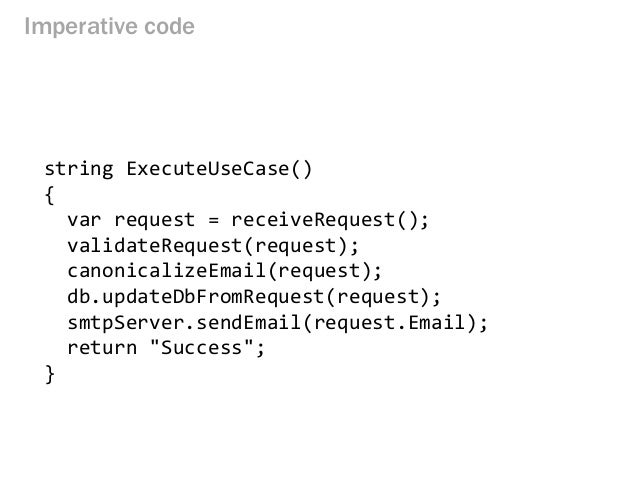
Happy path的程式可表示為:
enter image description here

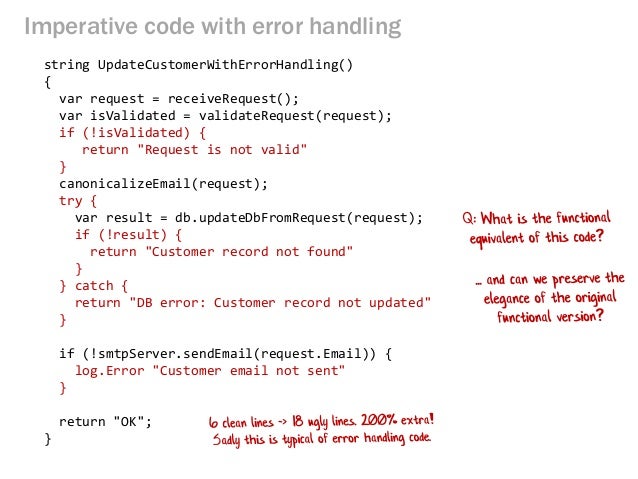
一般加上簡單的錯誤處理或Log後可能會變為:
FlowWithErrorHandling

整個程式可能由單頁變成雙頁,對可讀性和維護性都會有些許的困擾,還好目前在C#至少有基於此概念的兩套函式庫可參考,介紹如下。

Vladimir Khorikov在Functional C#: Handling failures, input errors的文章

NuGet

Happy path:

[HttpPost]
public HttpResponseMessage CreateCustomer(string name, string billingInfo)
{
    Customer customer = new Customer(name);
    _repository.Save(customer);
    _paymentGateway.ChargeCommission(billingInfo);
    _emailSender.SendGreetings(name);
    return new HttpResponseMessage(HttpStatusCode.OK);
}

Error Handling:

blablabla…

[HttpPost]
public HttpResponseMessage CreateCustomer(string name, string billingInfo)
{
    Result<CustomerName> customerNameResult = CustomerName.Create(name);
    if (customerNameResult.Failure)
    {
        _logger.Log(customerNameResult.Error);
        return Error(customerNameResult.Error);
    }

    Result<BillingInfo> billingIntoResult = BillingInfo.Create(billingInfo);
    if (billingIntoResult.Failure)
    {
        _logger.Log(billingIntoResult.Error);
        return Error(billingIntoResult.Error);
    }

    try
    {        
        _paymentGateway.ChargeCommission(billingIntoResult.Value);
    }
    catch (FailureException)
    {
        _logger.Log(“Unable to connect to payment gateway”);
        return Error(“Unable to connect to payment gateway”);
    }

    Customer customer = new Customer(customerNameResult.Value);
    try
    {
        _repository.Save(customer);
    }
    catch (SqlException)
    {
        _paymentGateway.RollbackLastTransaction();
        _logger.Log(“Unable to connect to database”);
        return Error(“Unable to connect to database”);
    }

    _emailSender.SendGreetings(customerNameResult.Value); 
    return new HttpResponseMessage(HttpStatusCode.OK);
}

ROP way

[HttpPost]
public HttpResponseMessage CreateCustomer(string name, string billingInfo)
{
    Result<BillingInfo> billingInfoResult = BillingInfo.Create(billingInfo);
    Result<CustomerName> customerNameResult = CustomerName.Create(name);

    return Result.Combine(billingInfoResult, customerNameResult)
        .OnSuccess(() => _paymentGateway.ChargeCommission(billingInfoResult.Value))
        .OnSuccess(() => new Customer(customerNameResult.Value))
        .OnSuccess(
            customer => _repository.Save(customer)
                .OnFailure(() => _paymentGateway.RollbackLastTransaction())
        )
        .OnSuccess(() => _emailSender.SendGreetings(customerNameResult.Value))
        .OnBoth(result => Log(result))
        .OnBoth(result => CreateResponseMessage(result));
}

噹噹!看到這裡你的內心應該會感動很多下吧…

stormy-ua的Railway

NuGet

ROP way

    // combine validation functions
    var combinedValidation = Railway
        // log inpiut request
        .Apply<Request> (r => LogRequest(r))
        // do email and name validation in parallel and combine errors
        .OnSuccess(
            (r1, r2) => r1,
            (e1, e2) => new AggregateException(e1, e2),
            r => ValidateName(r),
            r => ValidateEmail(r)
        )
        // extract request name
        .OnSuccess (request => request.Name)
        // log extracted name
        .OnSuccess (name => Console.WriteLine ("Name: {0}", name))
        // append dash to name
        .OnSuccess (name => name + "-")
        // log name
        .OnSuccess (name => Console.WriteLine ("Name: {0}", name))
        // make nume uppercase
        .OnSuccess (name => name.ToUpper ())
        // log name
        .OnSuccess (name => Console.WriteLine ("Name: {0}", name))
        // log failure if any occured during the pipeline execution
        .OnFailure (e => Console.WriteLine ("Failure: {0} ", e.Message));

    // invoke combined function
    var result = combinedValidation (new Request { Name = "", Email = "" });
    //var result = combinedValidation (new Request { Name = "", Email = "a@b.c" });
    //var result = combinedValidation (new Request { Name = "Kirill", Email = "" });
    //var result = combinedValidation (new Request { Name = "Kirill", Email = "a@b.c" });

    // process result
    switch (result.IsSuccess) {
    case true:
        Console.WriteLine ("Success. {0}", result.Value);
        break;
    case false:
        Console.WriteLine ("Failure: {0}", result.Error);
        break;
    }

基本上我會選用第一種,不過這兩個函式庫的實作方式都值得瞭解。

Written with StackEdit.